
If you’re a marketer, lead generation expert, or business owner, you already know this truth:
Email outreach = money.
But sending emails one by one?
That’s a productivity killer.
I’m Naveen Dale, and I work in lead generation and outreach marketing. My daily job is to find prospects and start conversations through email. In the beginning, I did what most beginners do — I manually sent emails one by one from Gmail. It worked… but it was painfully slow.
So I started testing email marketing tools, cold email software, and mail merge platforms. I spent months and a lot of money trying different tools.
Then I found something powerful.
Something free.
Something built directly into Google.
👉 Google Mail Merge
This completely changed how I send outreach emails.
What Is Google Mail Merge?
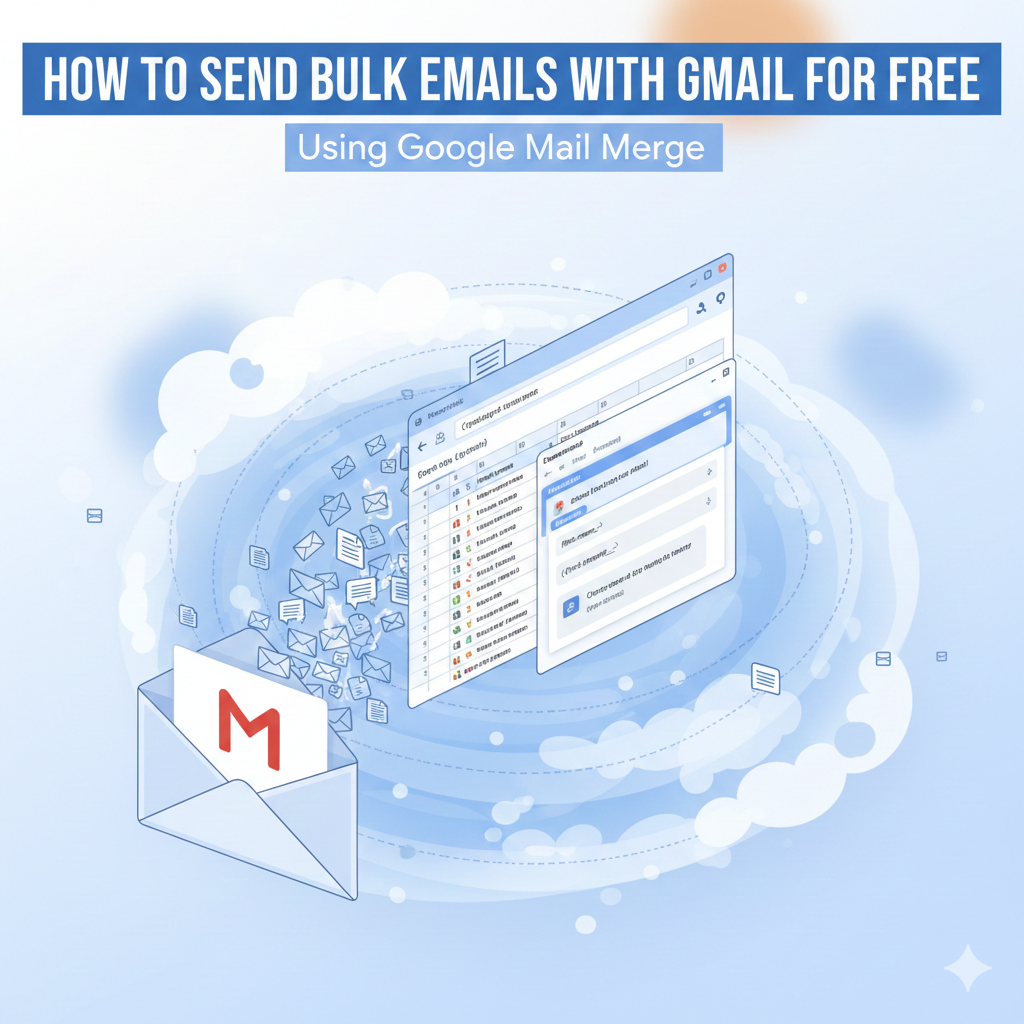
Google Mail Merge is a free automation system that lets you send personalized bulk emails directly from Gmail using Google Sheets.
It allows you to:
- Send hundreds of emails
- Personalize each message
- Use Gmail (no new tool needed)
- Track who has received emails
- Stay within Google’s free sending limits
And best of all — it costs nothing.
You’re sending real emails from your own Gmail account, not from a third-party email platform.
That means:
- Better inbox placement
- Higher reply rates
- No monthly subscription
Why Marketers Love Google Mail Merge
If you do:
- Cold emailing
- Lead generation
- Client outreach
- Influencer marketing
- Job applications
- Follow-ups
Then Google Mail Merge is perfect for you.
Instead of writing 100 emails manually, you write one email and let Google personalize and send it to everyone.
How Google Mail Merge Works
The system connects three things:
- Google Sheets – where your leads are stored
- Gmail Draft – where your email template lives
- Apps Script – the automation engine that sends emails
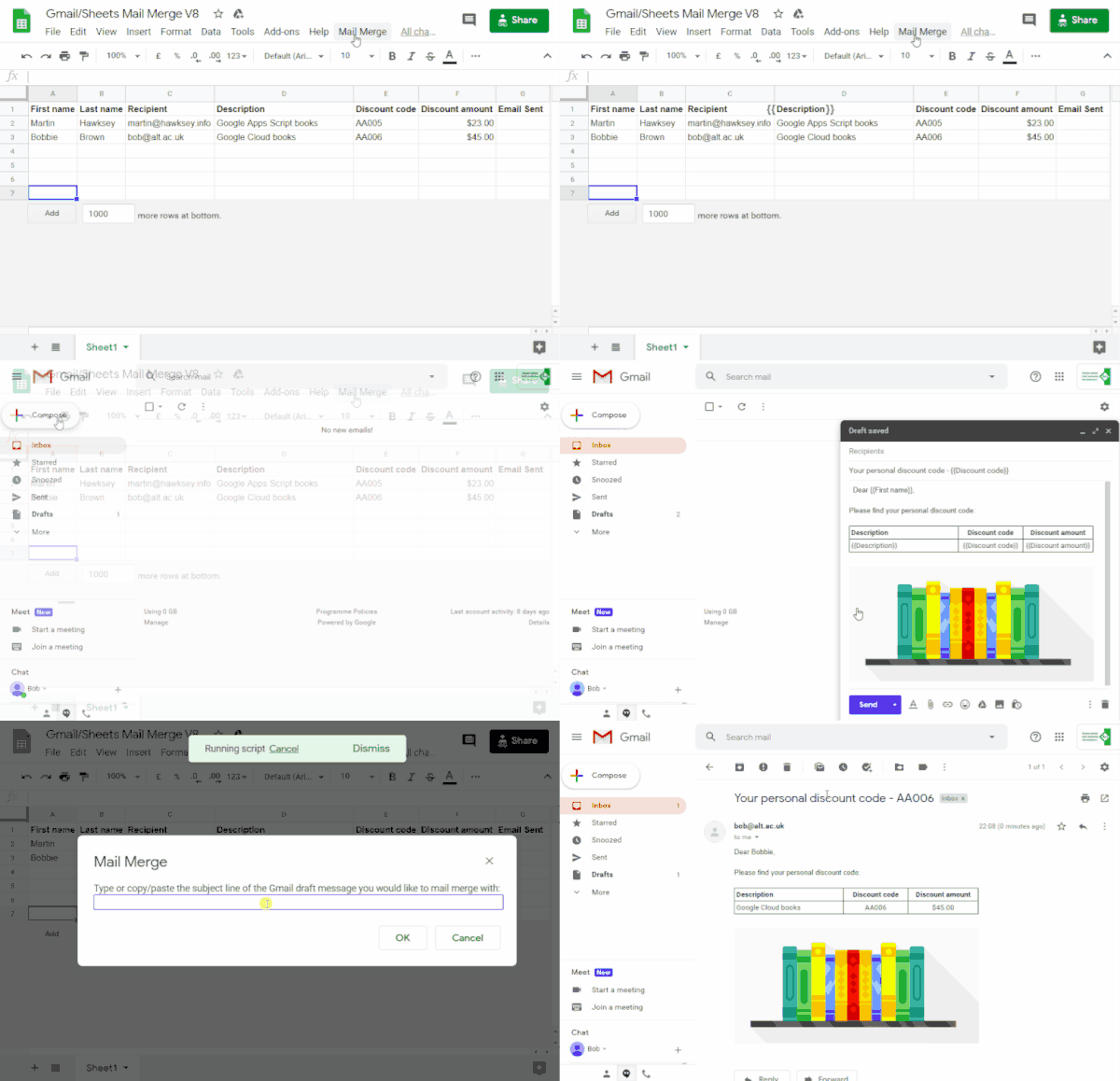
You create a spreadsheet like this:
| First Name | Company | |
|---|---|---|
| john@email.com | John | Tesla |
| sara@email.com | Sara | Shopify |
Then in Gmail you write one email like:
Hi {{First Name}},
I saw you work at {{Company}} and wanted to connect…
When you run the script, Google replaces:
{{First Name}}→ John{{Company}}→ Tesla
And sends each person their own personalized email.
Why This Is Better Than Paid Tools
Most email tools charge you:
- Monthly fees
- Per-contact fees
- Per-send fees
With Google Mail Merge:
- You pay $0
- You use Gmail’s trusted infrastructure
- You keep full control of your data
Google allows:
- Up to 100 emails/day (free Gmail)
- Up to 1,500/day (Google Workspace)
That’s more than enough for most outreach campaigns.
How to Set Up Google Mail Merge (Step-by-Step)
Step 1: Open the Mail Merge Template
Go to:
https://developers.google.com/apps-script/samples/automations/mail-merge
Click “Make a Copy”
This will create a Google Sheet connected to the Mail Merge script.
Step 2: Add Your Leads
Inside the spreadsheet, you’ll see columns like:
- Recipients
- First Name
- Company
- Email Sent
Replace the sample data with:
- Your lead email addresses
- Names
- Company names
You can also add more columns like:
- Website
- Job Title
- Location
These become personalization tags later.
Step 3: Create Your Gmail Email Template
Go to Gmail → Click Compose → Write your email.
Use placeholders like this:
Hi {{First Name}},

I came across {{Company}} and wanted to connect with you.
Important:
- The placeholders must exactly match your Google Sheet column names
- Use curly braces
{{ }}
Save this email as a Draft (don’t send it).
Step 4: Send the Emails
Go back to Google Sheets.
Click:
Mail Merge → Send Emails
Paste the subject line of your Gmail draft and click OK.
Google will now:
- Read your Gmail draft
- Replace placeholders
- Send personalized emails to every contact
Automatically.
Final Thoughts
I tested many tools.
I paid for many tools.
But Google Mail Merge gave me the best return — for free.
If you’re serious about:
- Lead generation
- Cold outreach
- Email marketing
This is one of the smartest systems you can use.
No software.
No subscriptions.
Just Google doing the work for you.